Why LLMs Feel Randomly Fast or Painfully Slow

Why LLMs Feel Randomly Fast or Painfully Slow
If you have ever used the same AI model, same prompt style, same app, and still felt wildly different performance day to day, you are not imagining things.
Most people blame “server load” or say the model is inconsistent.
That is lazy thinking.
What actually decides whether an LLM feels instant or unusable has very little to do with the model itself and a lot to do with what happens before and after your prompt hits the model.
This week I want to break down the real reasons behind that experience.
The illusion of “model performance”
Here is the uncomfortable truth.
When people say:
“This model feels slow”
What they are really reacting to is:
- How expensive their input was to process
- Whether the system could reuse past computation
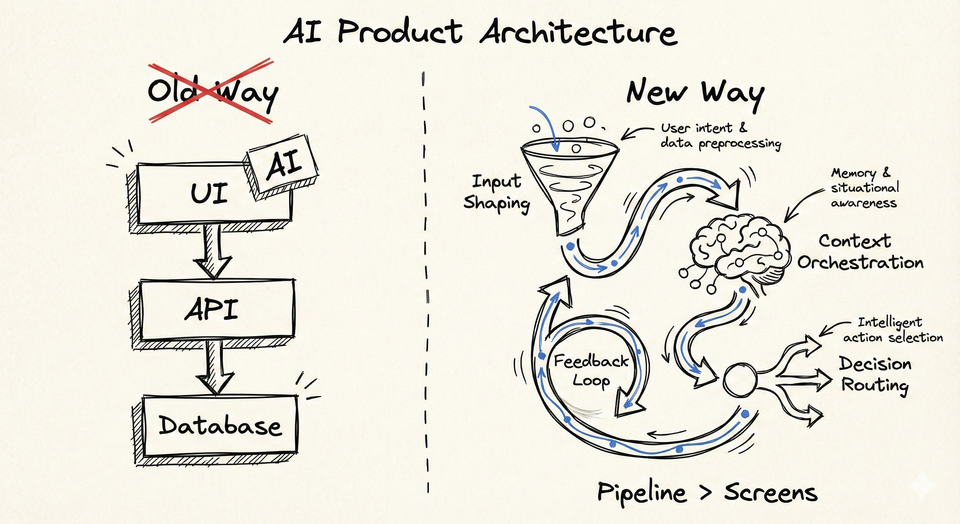
- How the request was shaped before inference even started
The model is often the least interesting part of the story.
Three things dominate perceived speed:
- Tokenization
- KV cache
- How you structure interactions over time
Miss these, and you will chase the wrong optimizations forever.
Tokenization is the first silent tax
Before a model “thinks”, your text is broken into tokens.
Not characters. Not words. Tokens.
Two prompts that look similar to a human can have very different token counts. Code blocks, JSON, logs, stack traces, and verbose instructions explode token counts fast.
Why this matters:
- More tokens means more computation
- More computation means more latency
- More latency makes the model feel slow even before generation begins
Most teams do not even log token counts.
They benchmark models while blindly inflating inputs.
That is not benchmarking. That is guessing.
KV cache is the reason chat feels fast or broken
KV cache is the real hero of conversational AI.
In simple terms:
- The model stores previous context representations
- When you continue a conversation, it reuses that work
- Reuse equals speed
When KV cache works:
- Follow up questions feel instant
- Iterative refinement feels smooth
When it breaks:
- Every message feels like a cold start
- Latency spikes without obvious reason
Common ways teams accidentally kill KV cache:
- Rewriting the full prompt every turn
- Injecting dynamic system messages repeatedly
- Resending large static context on each request
From the outside, it looks like model inconsistency.
From the inside, it is just bad prompt architecture.
KV Cache explained:
 Sahaib Singh
Why this feels random to users
Now combine both effects.
One day:
- Short prompt
- Clean conversational flow
- KV cache intact
Next day:
- Slightly longer input
- New system instruction injected
- Cache invalidated
Same model. Same app. Completely different experience.
Users do not care why. They just say “it feels worse today”.
Engineers panic and start model hopping.
That is backwards.
The builder mistake I see everywhere
Teams obsess over:
- GPT vs Claude vs open models
- Benchmarks
- Leaderboards
But ignore:
- Input shaping
- Token discipline
- Context reuse
This is like tuning a race car engine while dragging a parachute.
The fastest teams I see optimize inputs first, models second.
They treat tokens like money.
They treat cache like gold.
Practical takeaways you can apply immediately
If you build or integrate LLMs, do this:
- Log token counts for every request
- Minimize repeated static context
- Structure conversations so cache can survive
- Do not resend what the model already knows
- Benchmark with real prompts, not toy examples
If your AI feels slow, fix your pipeline before blaming the model.
Final thought
LLMs do not feel fast because they are “smart”.
They feel fast because the system around them is disciplined.
Speed is an architectural decision, not a model feature.
InsideTheStack will keep breaking down these hidden layers every week.
Quietly. Precisely. Without hype